


What you see
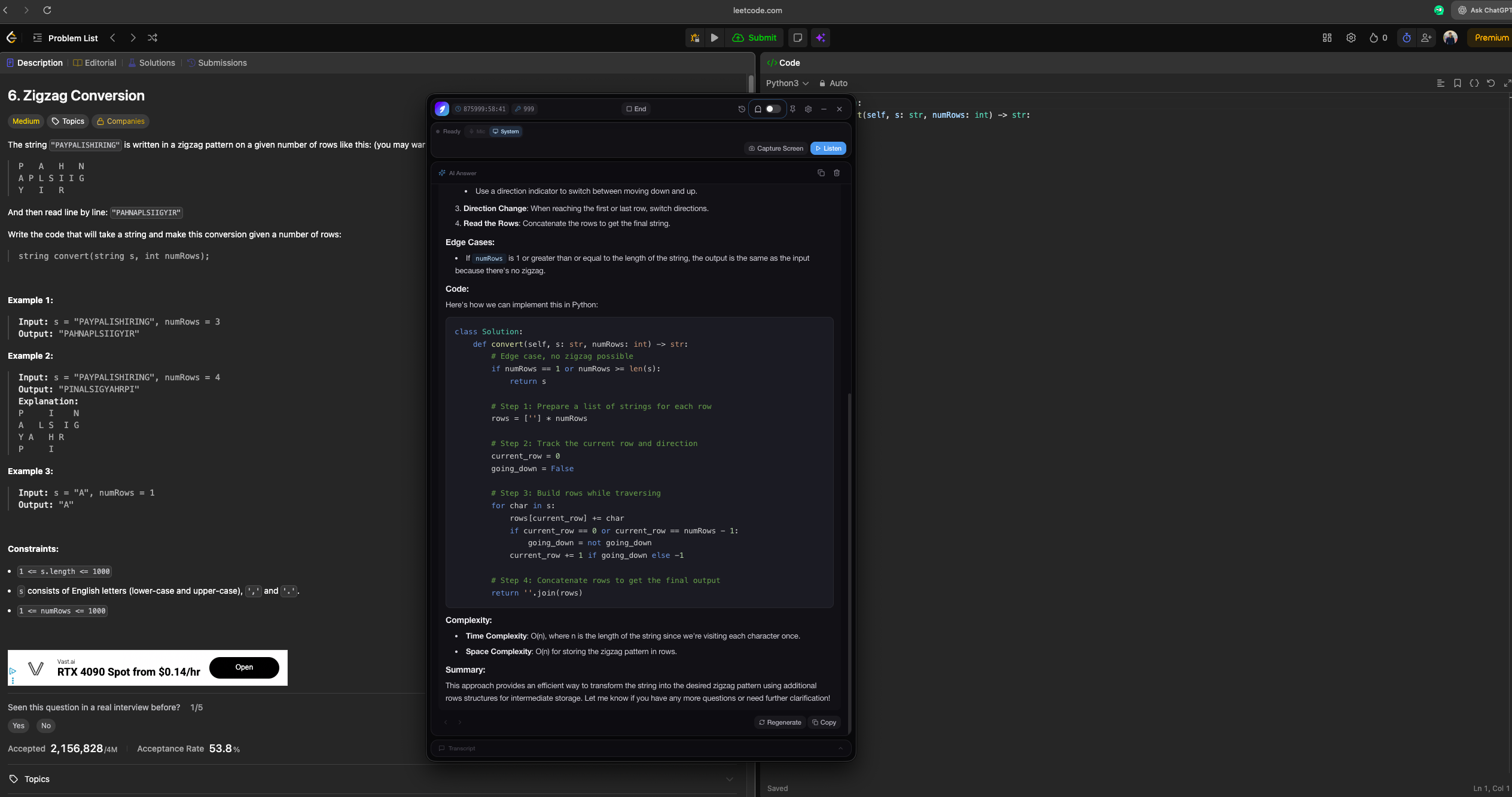
Transcript, suggested answers, optional screenshot analysis — all in one overlay you control.
Better and cheaper than any other interview tool out there. Period.
Real-time STAR answers, coding nudges, and system design prompts — directly in your browser on computer or phone.
Structured answers while you talk — real-time, private, and ready on any screen.
$4.9960 minutes of interview time
Pay per session or subscribe — no surprise charges on the free tier.
Secure checkout with Stripe. Sign in and start from the web—no installation or activation code.
Companies and teams tied to real interview wins from people who use Myna.
 Amazon
 Anthropic
 Apple
Apple Google
 Lyft
Lyft Meta
Meta Microsoft
 Netflix
 Nvidia
 Openai
 Spacex
 Stripe
 TeslaAmazonAnthropicAppleGoogleLyftMetaMicrosoftNetflixNvidiaOpenaiSpacexStripeTeslaAmazonAnthropicAppleGoogleLyftMetaMicrosoftNetflixNvidiaOpenaiSpacexStripeTeslaAmazonAnthropicAppleGoogleLyftMetaMicrosoftNetflixNvidiaOpenaiSpacexStripeTeslaAmazonAnthropicAppleGoogleLyftMetaMicrosoftNetflixNvidiaOpenaiSpacexStripeTeslaAmazonAnthropicAppleGoogleLyftMetaMicrosoftNetflixNvidiaOpenaiSpacexStripeTeslaAmazonAnthropicAppleGoogleLyftMetaMicrosoftNetflixNvidiaOpenaiSpacexStripeTeslaAmazonAnthropicAppleGoogleLyftMetaMicrosoftNetflixNvidiaOpenaiSpacexStripeTeslaAmazonAnthropicAppleGoogleLyftMetaMicrosoftNetflixNvidiaOpenaiSpacexStripeTeslaAmazonAnthropicAppleGoogleLyftMetaMicrosoftNetflixNvidiaOpenaiSpacexStripeTeslaAmazonAnthropicAppleGoogleLyftMetaMicrosoftNetflixNvidiaOpenaiSpacexStripeTeslaAmazonAnthropicAppleGoogleLyftMetaMicrosoftNetflixNvidiaOpenaiSpacexStripeTeslaAmazonAnthropicAppleGoogleLyftMetaMicrosoftNetflixNvidiaOpenaiSpacexStripeTeslaAmazonAnthropicAppleGoogleLyftMetaMicrosoftNetflixNvidiaOpenaiSpacexStripeTeslaAmazonAnthropicAppleGoogleLyftMetaMicrosoftNetflixNvidiaOpenaiSpacexStripeTeslaAmazonAnthropicAppleGoogleLyftMetaMicrosoftNetflixNvidiaOpenaiSpacexStripeTesla
On your machine you get transcript plus suggestions in a dedicated window. On their side it is still just your face and voice — the same meeting they joined.
Transcript, suggested answers, optional screenshot analysis — all in one overlay you control.
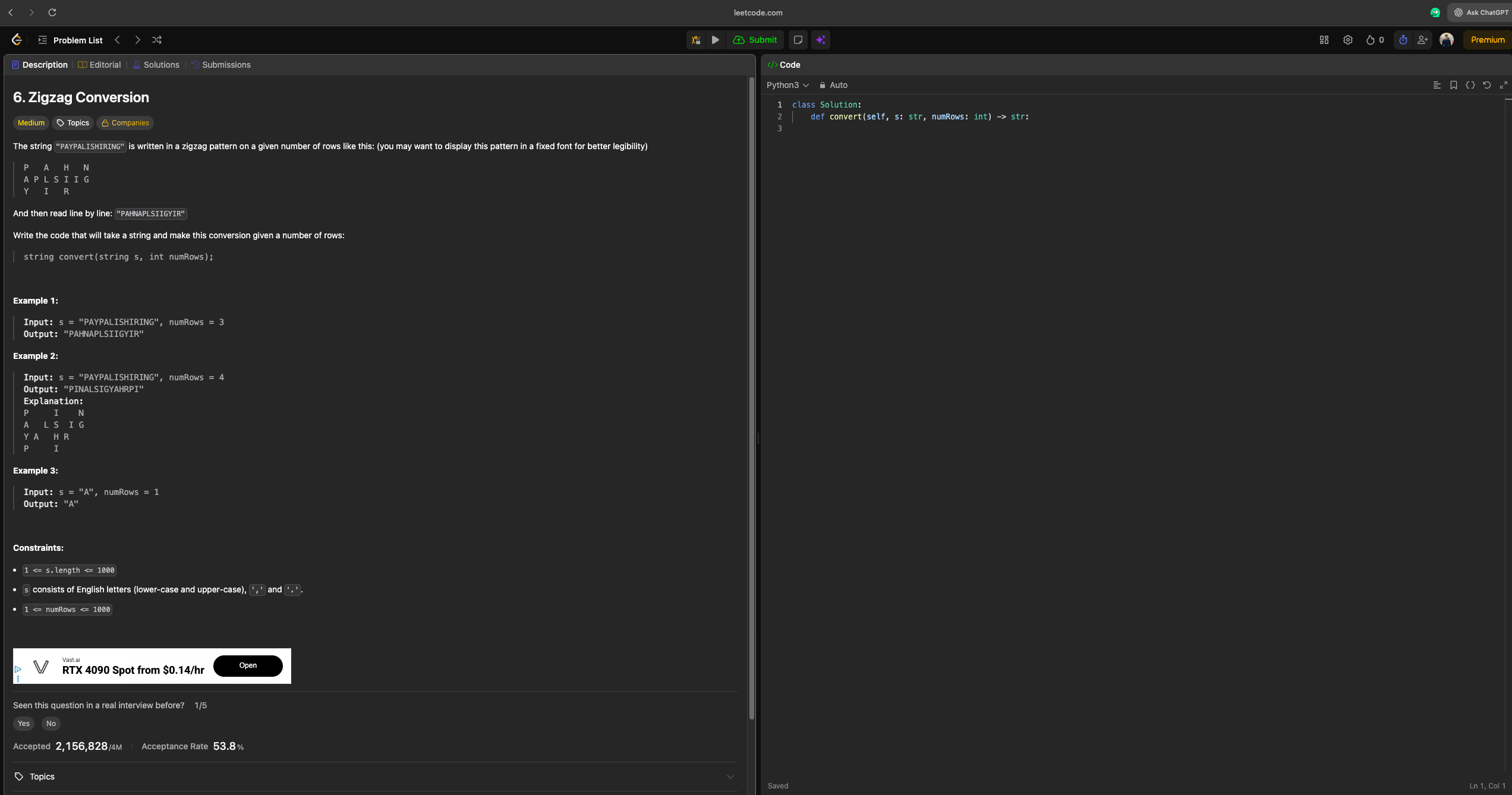
The usual camera feed and audio. Myna does not join as a bot or share your private window to the room.
 Zoom
Zoom Google Meet
 Microsoft Teams
 HackerRank
 LeetCode
 CoderPadZoomGoogle MeetMicrosoft TeamsHackerRankLeetCodeCoderPadZoomGoogle MeetMicrosoft TeamsHackerRankLeetCodeCoderPadZoomGoogle MeetMicrosoft TeamsHackerRankLeetCodeCoderPadZoomGoogle MeetMicrosoft TeamsHackerRankLeetCodeCoderPadZoomGoogle MeetMicrosoft TeamsHackerRankLeetCodeCoderPadZoomGoogle MeetMicrosoft TeamsHackerRankLeetCodeCoderPadZoomGoogle MeetMicrosoft TeamsHackerRankLeetCodeCoderPadZoomGoogle MeetMicrosoft TeamsHackerRankLeetCodeCoderPadZoomGoogle MeetMicrosoft TeamsHackerRankLeetCodeCoderPadZoomGoogle MeetMicrosoft TeamsHackerRankLeetCodeCoderPadZoomGoogle MeetMicrosoft TeamsHackerRankLeetCodeCoderPadZoomGoogle MeetMicrosoft TeamsHackerRankLeetCodeCoderPadZoomGoogle MeetMicrosoft TeamsHackerRankLeetCodeCoderPadZoomGoogle MeetMicrosoft TeamsHackerRankLeetCodeCoderPadZoomGoogle MeetMicrosoft TeamsHackerRankLeetCodeCoderPad
Features
Desktop copilot with live audio, streaming drafts, and interview-shaped answers—without the generic chat essay feel.
It keeps running, but it never adds an icon to your Dock—so there’s nothing obvious to spot.
Start for $4.99
Sits in the background without the usual obvious listing in Activity Monitor when someone checks.
Start for $4.99
Live transcription, streaming drafts as the model responds, and turn-aware listening—so you are not stuck on an empty panel mid-question.
Start for $4.99
Desktop copilot window with mic or system audio—never joins the meeting as a bot.
Start for $4.99
Resume + job description grounding, STAR-style behavioral nudges, and anti-template phrasing—short clauses and contractions, not essay tone.
Start for $4.99
Screen capture with vision for live prompts—tradeoffs and structure for system design and coding, not pasted textbook walls.
Start for $4.99
Quick read — same idea as the full table, lighter layout.
| Capability | Myna | AI chat | Browser helpers |
|---|---|---|---|
| Interview structure (STAR, tradeoffs) | Included | Not the focus | Varies |
| Desktop window beside your call | Yes | Usually tabs | Often browser-only |
| Priced per interview session | Yes | — | Varies |
| Zoom, Meet, Teams | Yes | No | Sometimes |
First name and role only — quotes from practice, prep, and review sessions. We do not imply employer affiliation.
"It helped me stay calm during a fast recruiter screen and gave me cleaner answers."
"The suggestions were fast enough to be useful without making me sound robotic."
"I used it for practice before my onsite and it helped me organize stories much better."
"The structure was the best part. I stopped rambling and got to the point faster."
"I liked that it kept my own voice but still tightened the answer."
"Good for mock interviews when I needed quick talking points before answering."
"The prompts were simple and useful. I did not have to dig around to use it."
"I used it during system design prep and it kept me on track."
"It made my practice rounds feel more realistic and less messy."
"The real-time suggestions were helpful for behavioral prep."
"Good for staying sharp before back-to-back interviews."
"I liked the clean format. It made the answer easier to read quickly."
"It gave me a better starting point when I got stuck in practice."
"It helped me answer more clearly without overthinking each sentence."
"Useful for mock rounds when I wanted quick structure and better pacing."
"My practice answers sounded more complete and more direct."
"It worked well for coding screen prep because I could keep the explanation tighter."
"I mainly used it for behavioral prep and it saved me time."
"The suggestions were short enough to use in real practice sessions."
"It helped me sound more prepared before a final round."
"I liked the pacing and the way it pushed me into a cleaner answer."
"Nice for mock calls when I wanted more confidence before speaking."
"It kept my answers structured even when I was tired after a long interview day."
"Helpful practice tool when I needed a quick nudge on what to say next."